The persistent episodic memory graph for developers. Use our native YUVA Plugin for a flawless chat experience inside VSCode, or plug our lightweight MCP Server directly into Cursor and Claude Code to give your existing AI a forever-brain.
Use the DIYA bridge instead — same memory engine, your workflow unchanged. No re-explaining your codebase five times per turn.
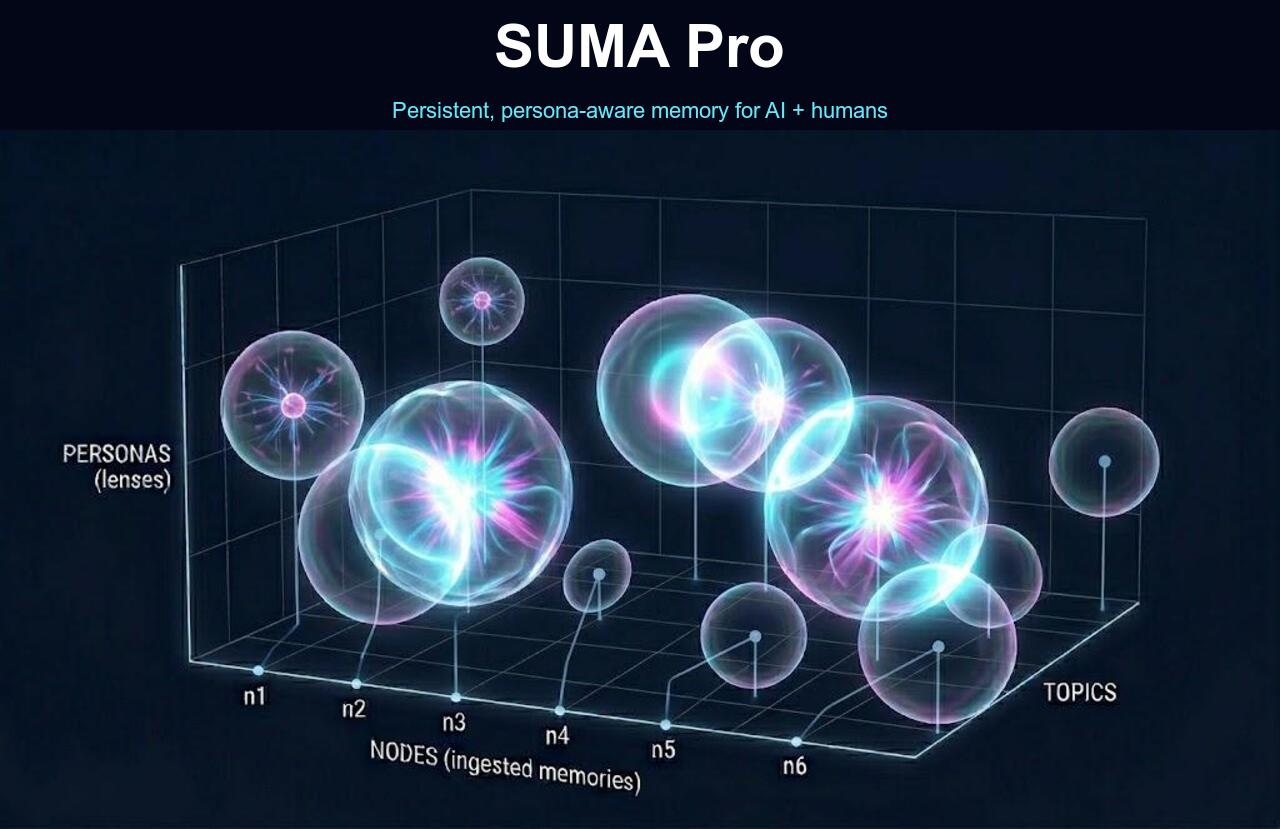
How DIYA works →$ ask "What is Maya?"
# Library holds 1M Lego Blocks (one paragraph = one book).
# Then you pick a Lens…
[Family Lens] → "Maya is your team lead — joined 2024, based in Bengaluru."
[Developer Lens]→ "Maya is the engineer who fixed the auth bug last sprint."
[Philosophy Lens] → "Maya — the Sanskrit concept of cosmic illusion."
# Same Library. Same question.
# Different Lens = different mathematical truth.
# Zero leakage. Semantic RBAC at the math layer.
We built a Library.
"SUMA isn't a database. It isn't a hard drive. It's a brain. We store the Library Card, not the book. The intelligence is distilled. The raw file stays where it lives. Your graph stays lean, your costs stay low, your Lego Blocks stay pure."
DIYA connects YUVA and AYRA.
Same sk_live_ key. Same billing. Same graph. YUVA on your desktop, DIYA bridging every AI client and developer app, AYRA on your phone.
The AI-native IDE plugin for 30M+ VSCode users.
Sidebar chat · Debug Panel (glass box) · Deep Scan AST indexer · 5 file loaders · Screenshot multimodal analysis · Encrypted local SQLite vault · Google Sign-in.
# CLI install (alternative)
code --install-extension squad-quad-yuva-0.2.5.vsix
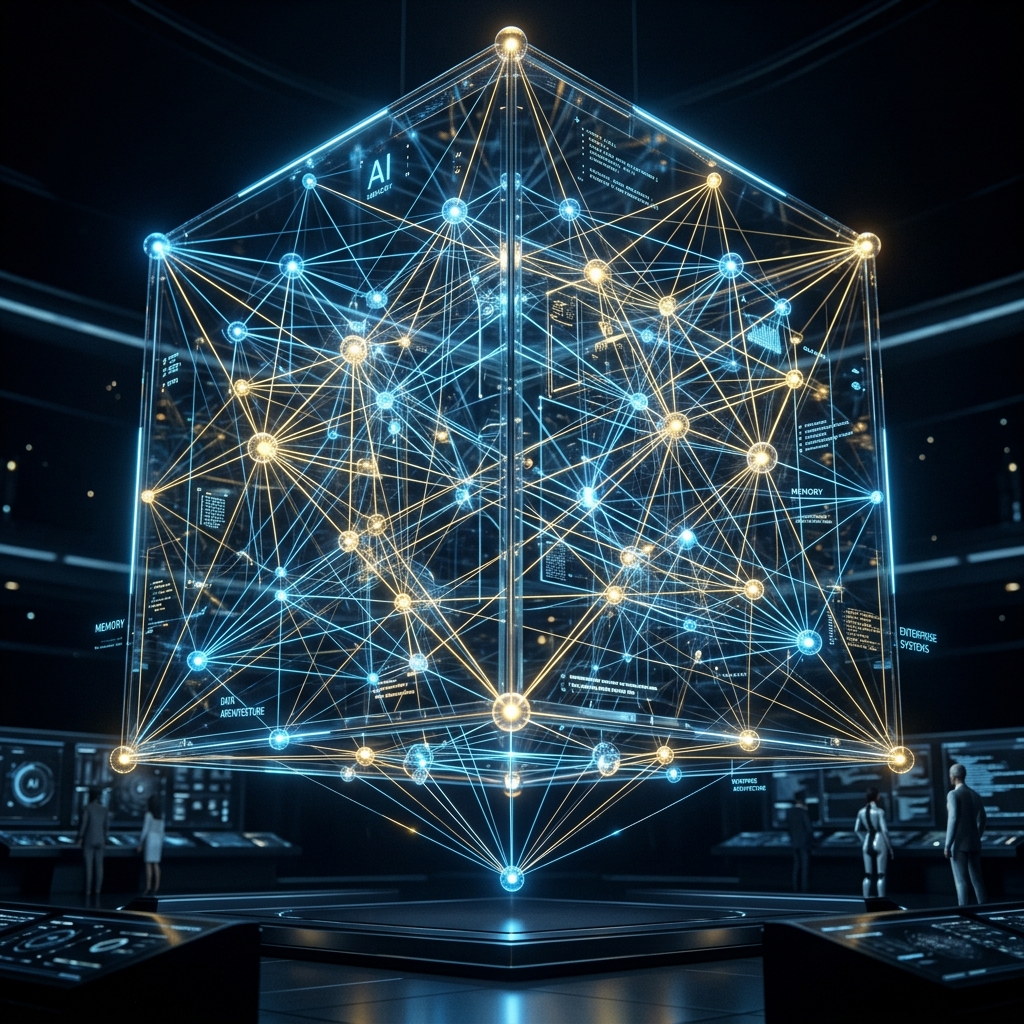
SUMA doesn't just store text. It builds a lossless Context Graph — Decision Traces, Organizational Judgment, and structural relationships — so your AI retrieves exactly what matters, not everything you ever said.
Finds connections flat-file search can't. Ask "Who knows my deployment pipeline?" — SUMA resolves the structural path and returns the answer.
Not all knowledge is equal. SUMA's proprietary gravity model pulls the highest-impact context to the surface — so your AI always gets what matters most.
Cross-links with QMS Edge using unified Google Identity. SUMA fetches your active tickets and prepends them into your Claude session instantly. The AI knows what you are doing.
Designed to surface the most relevant context over time — not just recency or frequency. The context that counts rises to the surface.
Finds contradictions in your knowledge graph. "You said X last week but Y today." Resolves conflicts automatically.
Detects repeated behaviors over time. "You always deploy on Fridays." Cross-pattern causation analysis.
SUMA's K-WIL gravity engine physically shifts its focus based on your industry. A healthcare AI prioritizes patient context at 0.95 weight. A dev team AI prioritizes current sprint at 0.90. Same math, different gravity.
Default for SUMA Companion. Family, health, emotions weighted highest.
For dev teams. Current sprint and architecture weighted highest.
For clinical settings. Patient health and safety weighted highest.
For civic tech. Financial/civic compliance weighted highest.
For schools/universities. Learning progress weighted highest.
Enterprise clients can request custom weight profiles tuned to their specific domain.
Sign in with Google — your sk_live_... key appears in your dashboard instantly. Free tier is genuinely usable; see Pricing for Pro / Team / Enterprise tiers.
Plug into SUMA DIYA via any supported surface:
For VSCode: Download SUMA YUVA .vsix and install it in VSCode. Paste your key in Settings → QUAD Yuva.
For Claude Desktop / Cursor: add DIYA to your .mcp.json:
// .mcp.json
{
"mcpServers": {
"suma-diya": {
"command": "npx",
"args": ["-y", "@quadframe/suma-diya@latest"],
"env": {
"SUMA_API_KEY": "sk_live_YOUR_KEY_HERE",
"SUMA_BASE_URL": "https://sumapro.quadframe.work"
}
}
}
}
Restart your AI tool after adding. Type /mcp to verify DIYA shows connected.
Add to your project's CLAUDE.md or .cursorrules so your AI uses SUMA automatically — no manual prompting.
## SUMA Rules
You are connected to SUMA via DIYA (the bridge).
1. Before answering project questions, call suma_talk for context.
2. After solving a bug or design, call suma_ingest to store it.
3. For recurring issues, use suma_patterns for analysis.
Just work normally. Your AI calls SUMA in the background — ingesting new knowledge, searching for context, building your graph. Next session, it remembers everything. 200 tokens instead of 15,000.
Your AI calls these tools automatically via the Model Context Protocol.
Why only 6 tools? SUMA replaces bloated API surfaces with 6 mathematically pure graph primitives — specifically designed so your LLM never gets confused about which tool to call.
suma_search
Mathematical graph search with precision recall
// AI calls this automatically
suma_search(
query: "deployment pipeline",
depth: 2, // multi-hop traversal
limit: 5, // top 5 results
sphere: "work" // scope to work context
)
// Returns: nodes + precision scores + contextual signals + structural paths
// Add ?format=toon for 30–60% fewer tokens in the response
suma_ingest
Add knowledge to the graph
suma_ingest(
text: "Our auth system uses JWT tokens with role-based access control",
sphere: "architecture",
extract_relationships: true // auto-extracts triplets
)
// Automatically creates: Auth → uses → JWT, Auth → has → role_based_access
suma_talk
Bidirectional — searches AND learns in one call
suma_talk(
message: "We decided to use microservices for the payment module",
persona: "companion"
)
// Returns: relevant context + learned nodes + structural analysis
suma_node
Get a node with its full structural profile
suma_node(
node_id: "AUTH_SYSTEM",
include_neighbors: true,
include_weight_profile: true
)
// Returns: content, sphere, neighbors, structural weight, contextual signal
suma_patterns
Detect behavioral patterns and causation
suma_patterns(
query: "deployment",
include_cross_patterns: true
)
// Returns: temporal patterns, cross-pattern causation
// e.g., "deploy_friday" CAUSES "hotfix_monday"
suma_forget
Delete or correct mistakes in the graph
suma_forget(
node_id: "WORK_abc123", // specific node
// OR
keyword: "outdated_api" // fuzzy match
)
// Removes incorrect or outdated knowledge from your graph
One command. Perfect stability. Zero disconnects.
Using YUVA in VSCode? Skip this — YUVA auto-configures after sign-in.
Create .cursor/mcp.json in your project root:
{
"mcpServers": {
"suma-memory": {
"command": "npx",
"args": ["suma-mcp-proxy", "--key=sk_live_YOUR_KEY"]
}
}
}
The suma-mcp-proxy runs entirely via local stdio, then makes outbound HTTPS calls to SUMA Cloud. This natively bypasses corporate firewall restrictions that block incoming MCP connections. Enterprise-ready by design.
Restart Claude Code or Cursor. Your AI now has persistent memory across all sessions.
Standard AI requires you to constantly say "Hey AI, please remember this for later." With SUMA's orchestration rules, you never type the word "remember" again. Your AI becomes a continuous background archivist.
### Autonomous Pre-Flight Triggers
BEFORE taking action, query memory in these scenarios:
1. Deployment Pre-Check
Before running deploy commands (docker push, xcrun altool, gcloud deploy)
→ Call suma_search("deployment credentials API key")
NEVER guess credentials. Always verify first.
2. Friction Pre-Check
When you see an error you might have solved before
→ Call suma_talk("error: [paste error signature]")
Check if this was already solved. Don't repeat mistakes.
3. Architecture Pre-Check
Before creating new components or answering "how should we build this?"
→ Call suma_search("component pattern [area]")
Verify existing patterns. Maintain consistency.
### Autonomous Ingestion Triggers
AFTER completing work, archive to memory in these scenarios:
1. Deployment → Shipped code to production? Call suma_ingest
2. Architectural → Finalized a design decision? Call suma_ingest
3. Session End → User says "done for today"? Call suma_ingest
4. Friction → Same bug twice? Archive what NOT to do.
5. Vision → New business goal stated? Archive the "why".
Pre-Flight = Read first. Post-Flight = Write after. Your AI never guesses and never forgets.
Your subscription includes the SUMA Pro Dashboard — watch your AI build your knowledge graph in real-time.
Watch exactly how Claude and Cursor are mapping your codebase. Inspect K-WIL node weights. See exactly how much you're saving.
Free tier is genuinely usable. Pro unlocks unlimited queries. Enterprise gets the Persona Lens + SOC2 roadmap.
Today we ship the coding plugin. In a year we become the Firebase of AI.
"Your documents never leave your machine — they're in an encrypted local vault (AES-256-GCM, OS Keychain). Only query text hits our cloud. The cloud sees your question, never your corpus."
6 US patents filed · Dumb Terminal architecture · Zero-logic-in-plugin
Add this template to your project's CLAUDE.md or .cursorrules. Your AI becomes a proactive memory engine.
# [SYSTEM DIRECTIVE: SUMA MEMORY INTEGRATION] You are connected to the developer's Long-Term Knowledge Graph via the suma_ingest and suma_talk MCP tools. ## Proactive Rules: 1. Before answering architecture questions, SILENTLY call suma_talk. 2. After solving a bug or finalizing a design, call suma_ingest with a 50-word compressed "Gist" in the relevant sphere. 3. For recurring issues, use suma_patterns to analyze causation. 4. Use [System]_[Component]_[Status] naming for nodes. 5. Use universal verbs: DEPENDS_ON, IMPLEMENTS, RESOLVES, BUILT_BY, USES, HAS_ISSUE, MANAGES, LEADS, DEPLOYED_TO, LEARNING. ## Auto-Ingest Triggers (no manual prompting needed): - New database schema or design pattern → ingest to "architecture" - Bug fixed or ticket resolved → ingest root cause + solution - Career goal or learning intent mentioned → ingest to "personal" - Same topic debugged 3+ times → create a friction node
Two machines. One brain. Zero sync scripts.
Add your API key to Claude Code. Tell it: "Our auth system uses JWT with role-based access. The deploy pipeline runs on Docker."
Add the same API key to Cursor. Ask: "What database does our API use?"
Cursor answers: "JWT with role-based access, deployed via Docker." Same brain. Different machine.
Same API key = same brain. Works across Claude Code, Cursor, Devin, or any MCP client. No sync. No git. No iCloud.
We tell you exactly how your data is protected. No buzzwords.
HTTPS/TLS encryption on every request. Same standard as Stripe, GitHub, and Slack.
Google Cloud KMS server-side encryption. Your data is encrypted on disk by Google's infrastructure.
Every query filtered by your API key's org_id. You can never see another customer's data. Mathematically enforced.
V1 uses the Shared Trust Cloud Model (same as GitHub, Notion, Linear). V2 Zero-Knowledge Local Encryption coming Q3 2026.
One-click AI configuration
Let your AI configure itself!
Click the button below, then paste into Claude Code or Cursor. The AI will read the instructions and set everything up for you.
What gets copied:
Add this to .mcp.json in your project root:
{
"mcpServers": {
"suma-memory": {
"command": "npx",
"args": ["suma-mcp-proxy", "--key=sk_live_YOUR_KEY"]
}
}
}
Need an API key? Start free trial
Access your knowledge graph
Gmail accounts only
Don't have an account? Start free trial
Tell us about your domain and we'll tune SUMA's gravity weights to match your org's priorities.